null.audio 1.1 is out. It's a free update for everyone who owns ALIGN or EDIT. Download it from null.audio/download and run the installer; your licence stays as it is.
Most of what changed came from watching people use 1.0. The panels were where people hesitated, so I rebuilt them, and EDIT now works the way a vocal is recorded: in several clips, on several tracks.
A whole verse, with its doubles
In 1.0, EDIT opened one clip at a time. But a comped verse is several clips, and the doubles sit on other tracks. Now you click one clip and EDIT takes the clips right next to it. If clips on other tracks play at the same time, the panel offers them too. Tick them and they all open in the same Melodyne session, each heard through its own track's effects. Whole track takes every clip on the track. One Apply puts everything back. I wrote up how I use it in How to tune a whole verse and its doubles with Melodyne in Ableton Live.
While the song plays, you can switch between your edit and the original. Your vocal chain stays on in both. Several clips at once works with Melodyne, SpectraLayers, Vovious and RePitch on macOS, and with Melodyne on Windows. Other editors still open one clip at a time, and the panel tells you when that's the case.
Around your editor
The bar above your editor had Back to start, Play/Stop and Loop for Live. Now it also has Edited, Original and Apply, so you can compare and apply without leaving Melodyne. After Apply it reads Applied.
In Melodyne, Vovious and RePitch you now hear a note when you click or drag it while Live is stopped, like in a DAW with ARA. Each track's notes play on that track, through its own effects, so a note of your double sounds like the double. Your editor's window also opens where you left it, and on Windows the space bar plays and stops Live while the editor is in front.
On macOS, the EDIT Bridge is now an Audio Unit as well as a VST3. Use whichever your Live lists.
ALIGN finds your Dubs
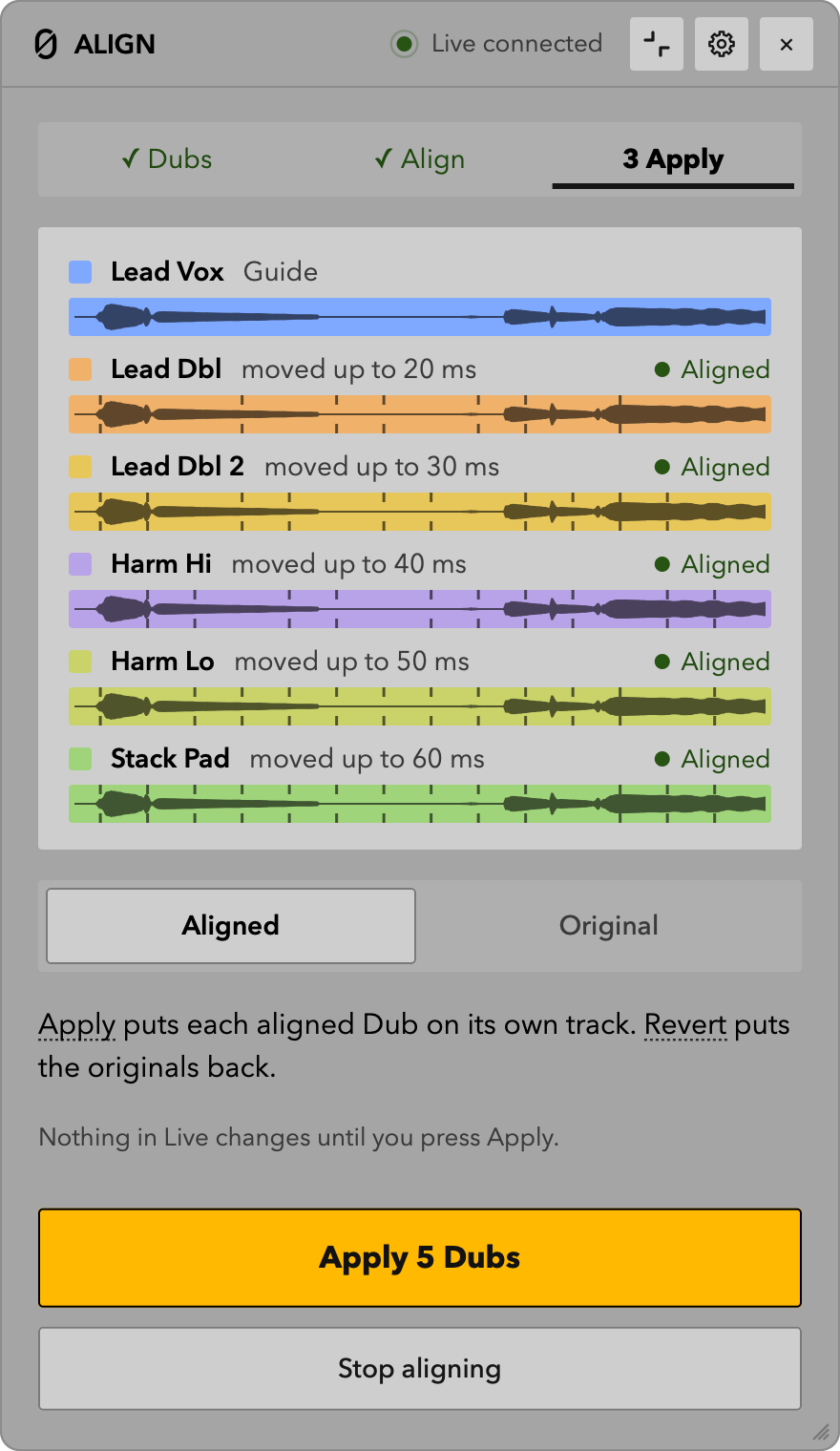
Select your main vocal and press Set Guide. ALIGN lists the clips playing with it and ticks the doubles and harmonies by their track names: Dbl, Double, Harm, BGV, Adlib, Stack, Vox and more. Untick what isn't a Dub, press Align, and VocAlign opens with up to eight of them. More in How to align backing vocals and harmonies in Ableton Live.
Built-in: aligning without a plug-in (beta)
ALIGN has a second way to align now, called Built-in. It lines up your Dubs inside null.audio, right in the ALIGN panel, with no plug-in. It doesn't line up as well as VocAlign yet. For everyday doubles it may be enough, though, and it's quick, since no plug-in window has to open. In my tests, three Dubs of seven and a half minutes each were lined up about 20 seconds after pressing Align. It does up to four Dubs at once, depending on how many cores your computer has, and a Dub it can't line up well enough is left as it was.
It comes with ALIGN, so there's nothing extra to buy. In 1.1 it's a beta, and it lines up at most eight minutes at a time. VocAlign stays fully supported.
VocAlign, and putting back one Dub
VocAlign 6 no longer freezes null.audio for several seconds when you Align again. And because VocAlign doesn't say when it has finished lining up, a long Dub could go into Live half aligned. Now the panel says "VocAlign is still lining up…" and Apply waits until it's done.
After Apply, Revert Dub puts back only the Dub you select in Live, and the others stay aligned. EDIT has the same for clips, Revert clip.
Panels that show the next step
Both panels now show where you are in three steps and one highlighted button for what comes next. When something needs you, like a track without the EDIT Bridge or a clip you moved, the panel says what happened and gives you the button that fixes it. Drag the corner to make the panel bigger or smaller, fold it to one line, or hide it and work with your keys. The null.audio app also has a setup checklist on its Overview page that shows what's done and what's still missing.
New words
A few buttons have new names, because testers found the old ones unclear:
- Commit is now Apply.
- Close Session is now Stop editing and Stop aligning.
- Set Dub is now Add selected clip.
If you mapped buttons to keys or MIDI in 1.0, check those mappings once after updating.
What's next
The changelog lists everything in 1.1, and the roadmap shows what I'm working on next. If something doesn't work the way you expect, write to contact@null.audio.